Ubuntu Application Switcher
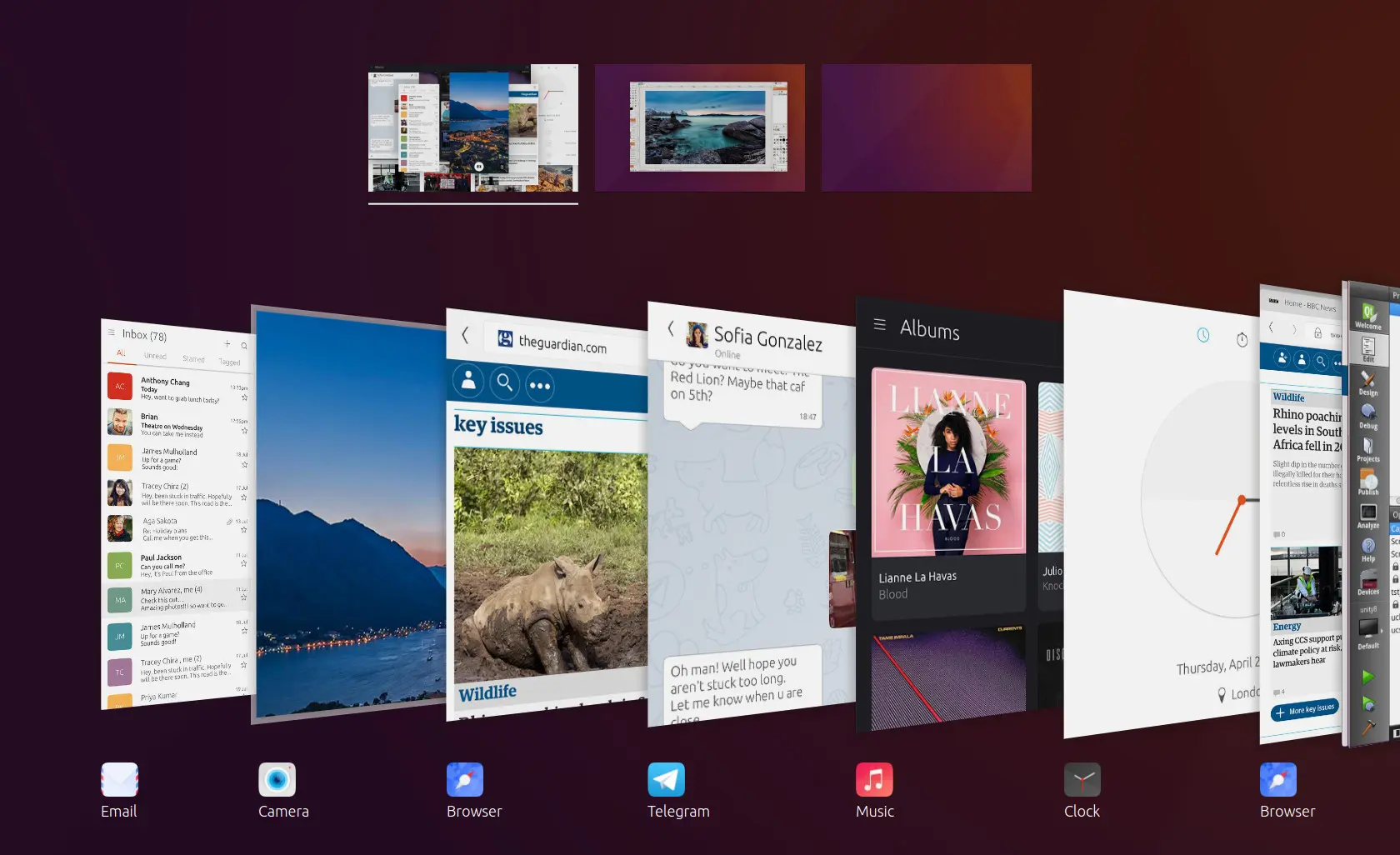
Canonical Ltd. developed Ubuntu Linux operating system for mobile devices. As part of this effort, I designed and prototyped an application switcher for Ubuntu Touch OS.
Category
UX Design, Prototyping, UI Development, Tooling
Role
Lead Interaction Designer
Client
Canonical Ltd.
Year
2015
The UX Challenge
Application switching is one of the most often performed tasks in both mobile and desktop operating systems. Hence, it needs to be a fluid and frictionless interaction. For this project, the main requirements were:
• Full convergence: the same switcher would need to work on phone, tablet, and PC desktop. • Needs to handle both windowed and non-windowed environments. • Multiple workspace support needs to be taken into account. • Needs to support all available input types: touch, pointer, and keyboard. • Single code base approach (stakeholder and engineering requirement). • The existing design relying on stacked cards needs to be taken into consideration.
The main challenges: • How to create an adapting layout that transforms and covers all use cases. • Creating a consistent set of transitions and animations which would also be delightful to use and reinforce the user’s mental model of the system. • Application window size can be arbitrary and vary between the windows simultaneously on the screen. • Horizontal space is limited but the design needs to scale to support 0–N applications and 0–N workspaces.
The UX Approach
Guiding design principles that helped in the design process:
• Prefer subtle and unobtrusive animations to provide quick and consistent feeling across the use cases. • Utilize the screen real estate as well as possible and avoid overflow behind the screen edges. • Provide easily identifiable application info (card + icon + label). • Aim for full convergence: Same visual appearance, functionality, and interactions across form factors, devices, and input types. • Re-use existing Ubuntu design and visual patterns.
I wrote an interactive prototype to help in design. This turned out to be an invaluable approach that helped identify and solve many edge cases. The prototype also worked as partial documentation for developers.
The final design
The resulting layout is fully responsive and automatically adjusts its element sizes, margins, and visibility while maintaining a balanced look and feel. Application windows are cropped into a square shape with a suitable cropping algorithm, and the application icon and label were added to maximize application identifiability. The final design supports the following functionality:
• Application switching. • Closing applications • Moving applications between workspaces • Closing, reordering, and merging workspaces • Focusing on another workspace.
Impact
The converged switcher was part of the Ubuntu 10.16 release as the default Unity 8 application switcher. The final implementation is an essential part of a product that was awarded: 🏆 Orange Award for Converged Computing at Mobile World Congress 2017.